Setting up your Digital Membership Card
Before you begin
- Apple Wallet is only available on Apple devices.
- Google Wallet is only available on Android devices.
- Digital Membership Cards can only be added to a smartphone – they cannot be added to a laptop or desktop computer.
Step 1
Download your Digital Membership Card from your Member Confirmation Email
Ensure your iPhone or Android device is updated to the latest software version. You’ll need access to Apple Wallet (iPhone) or Google Wallet (Android) to download your digital card.
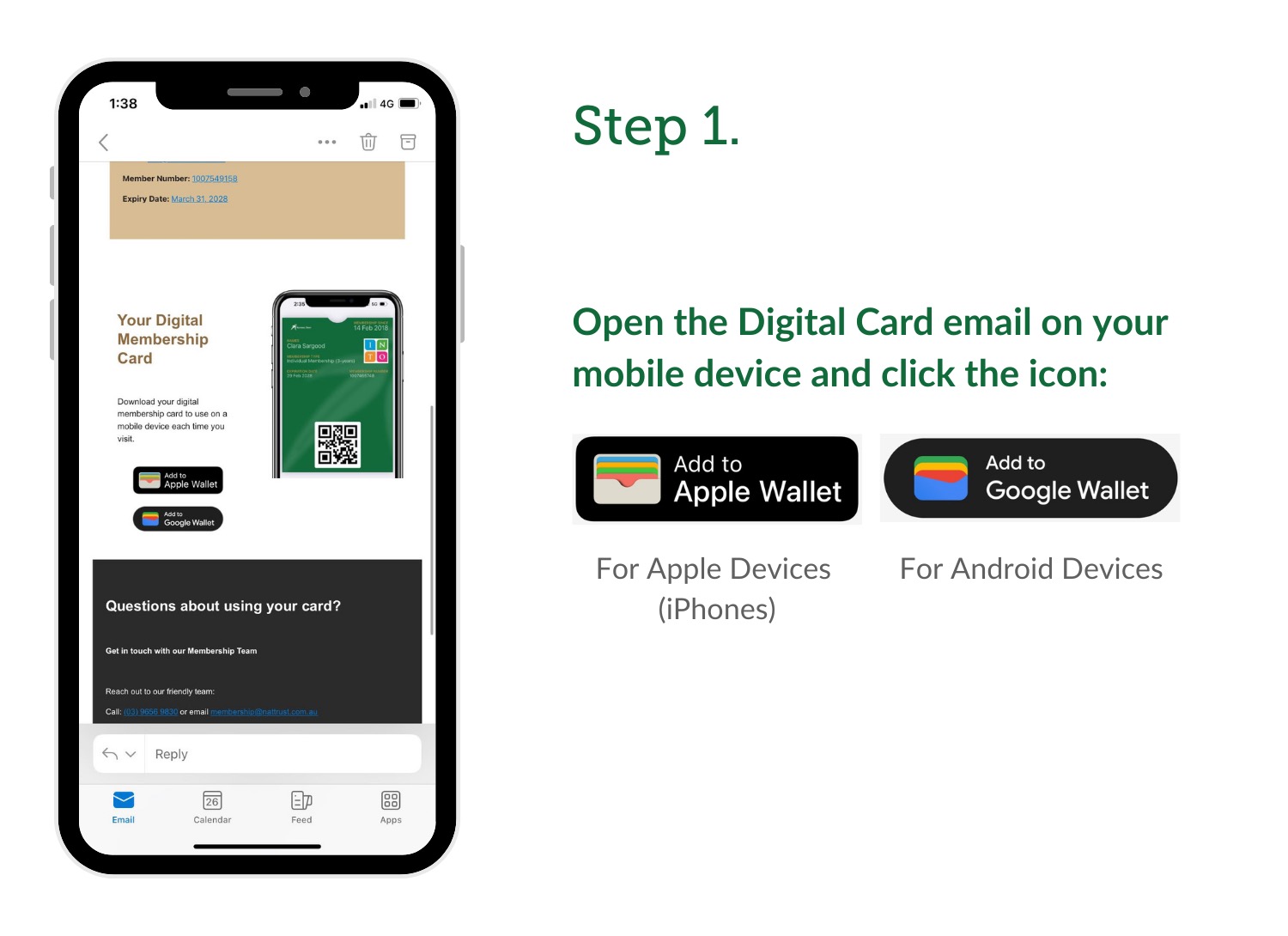
Open the email on your device and click the icon:
- If you’re using an Apple device (iPhone), tap the Apple Wallet icon.
- If you’re using an Android device, tap the Google Wallet icon.
Step 2
Add to Wallet
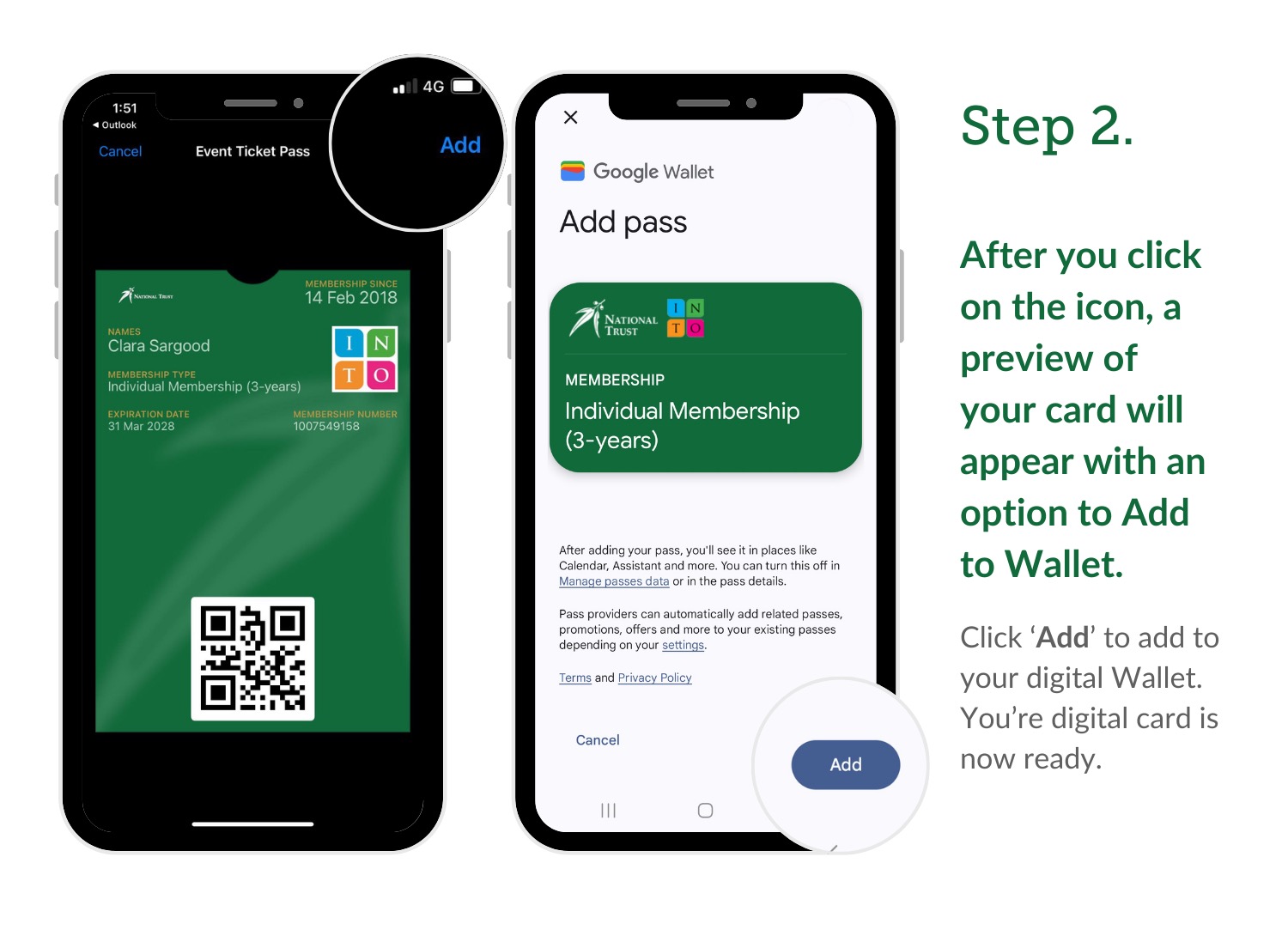
After you click on the icon, a preview of your card will appear with an option to Add to Wallet.
- On Apple devices, tap ‘Add’ in the top right corner.
- On Android devices, tap the ‘+’ or ‘Add to Wallet’ in the top and bottom right corners of your mobile screen.
Step 3
Using Your Digital Membership Card
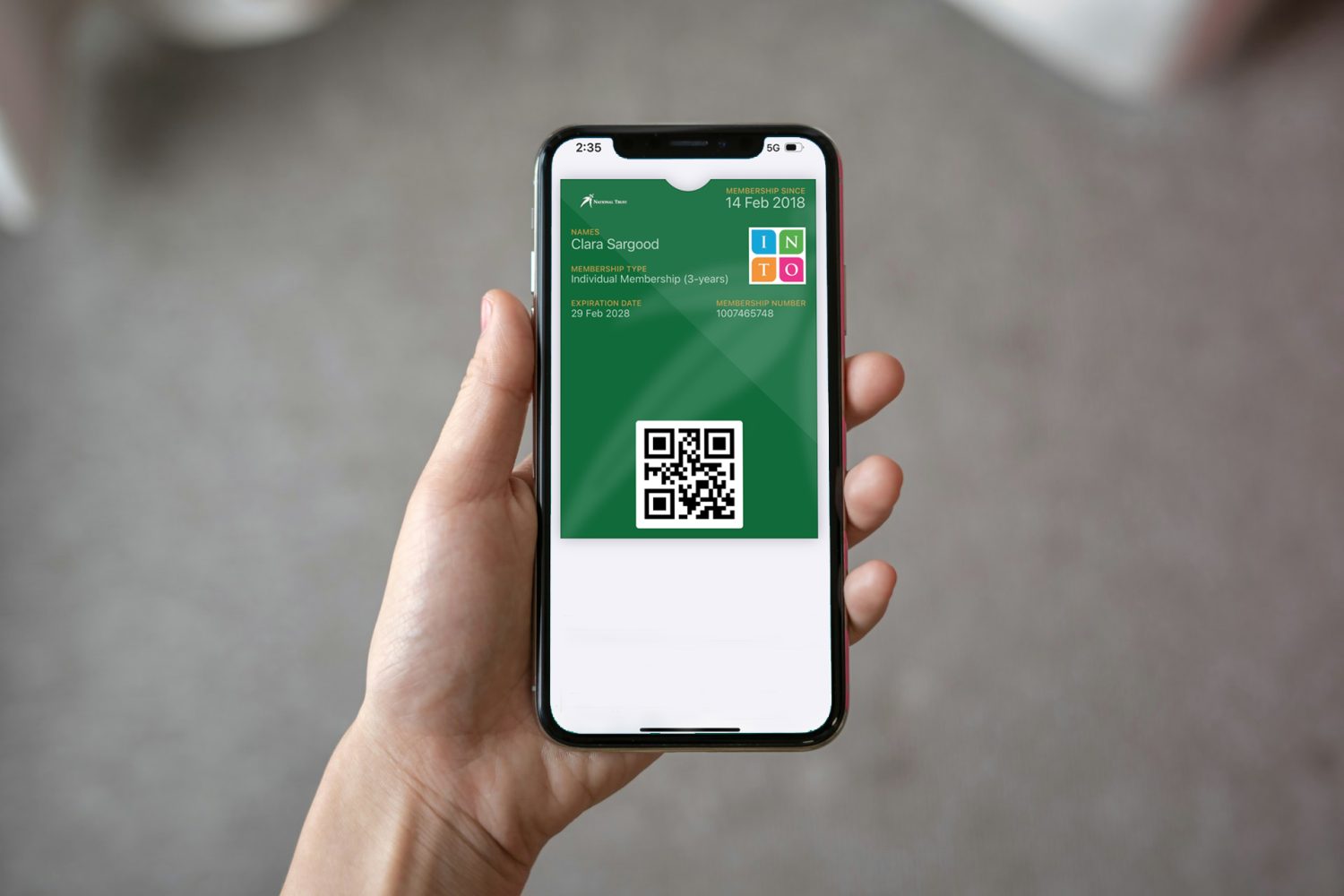
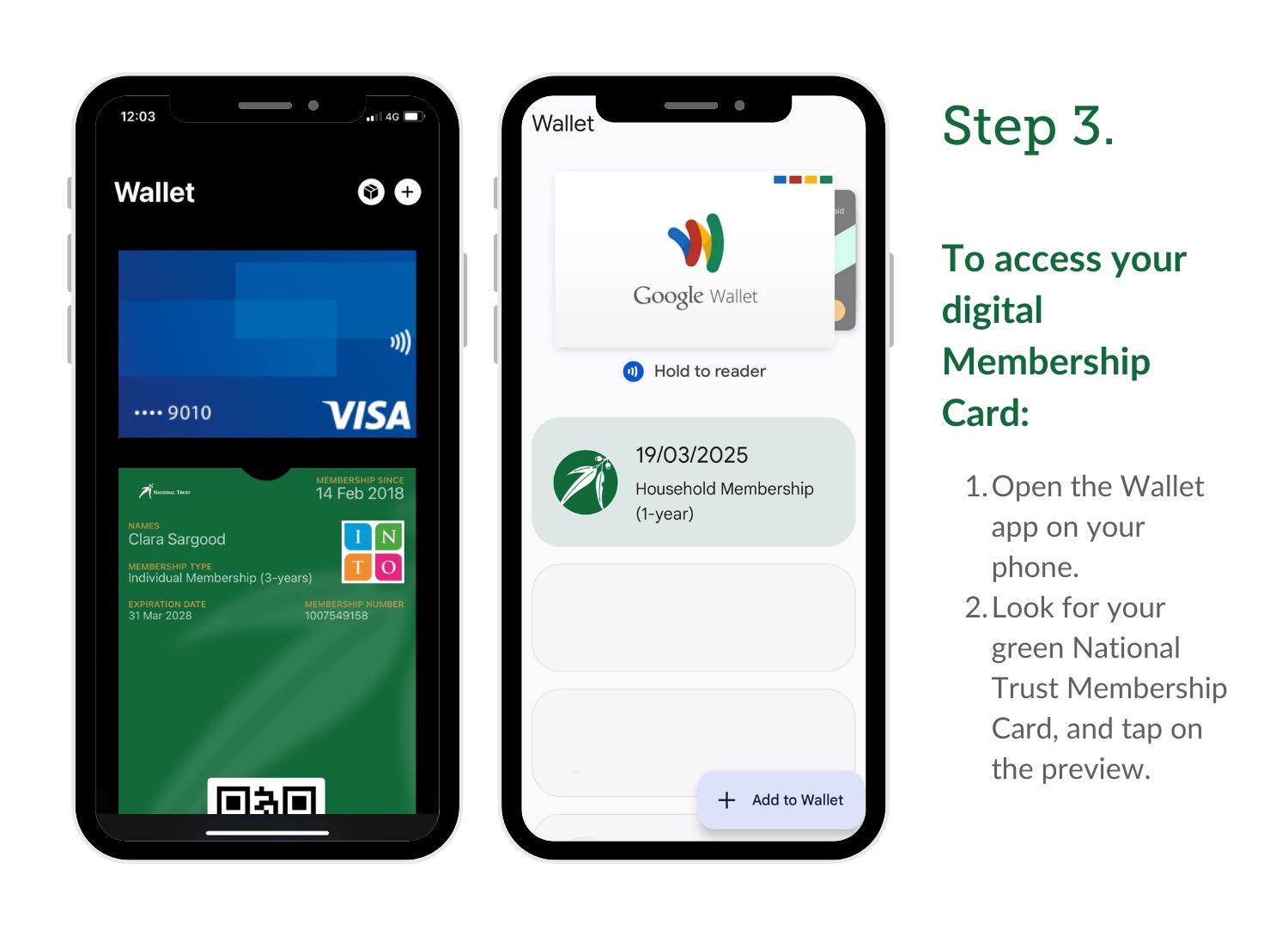
Your Digital Membership Card is now saved in your Apple or Google Wallet. You can use it just like a physical card when visiting National Trust properties.
To access your digital Membership Card:
- Open the Wallet app on your phone.
- Look for your green National Trust Membership Card.
Step 4
Using Your Digital Membership Card
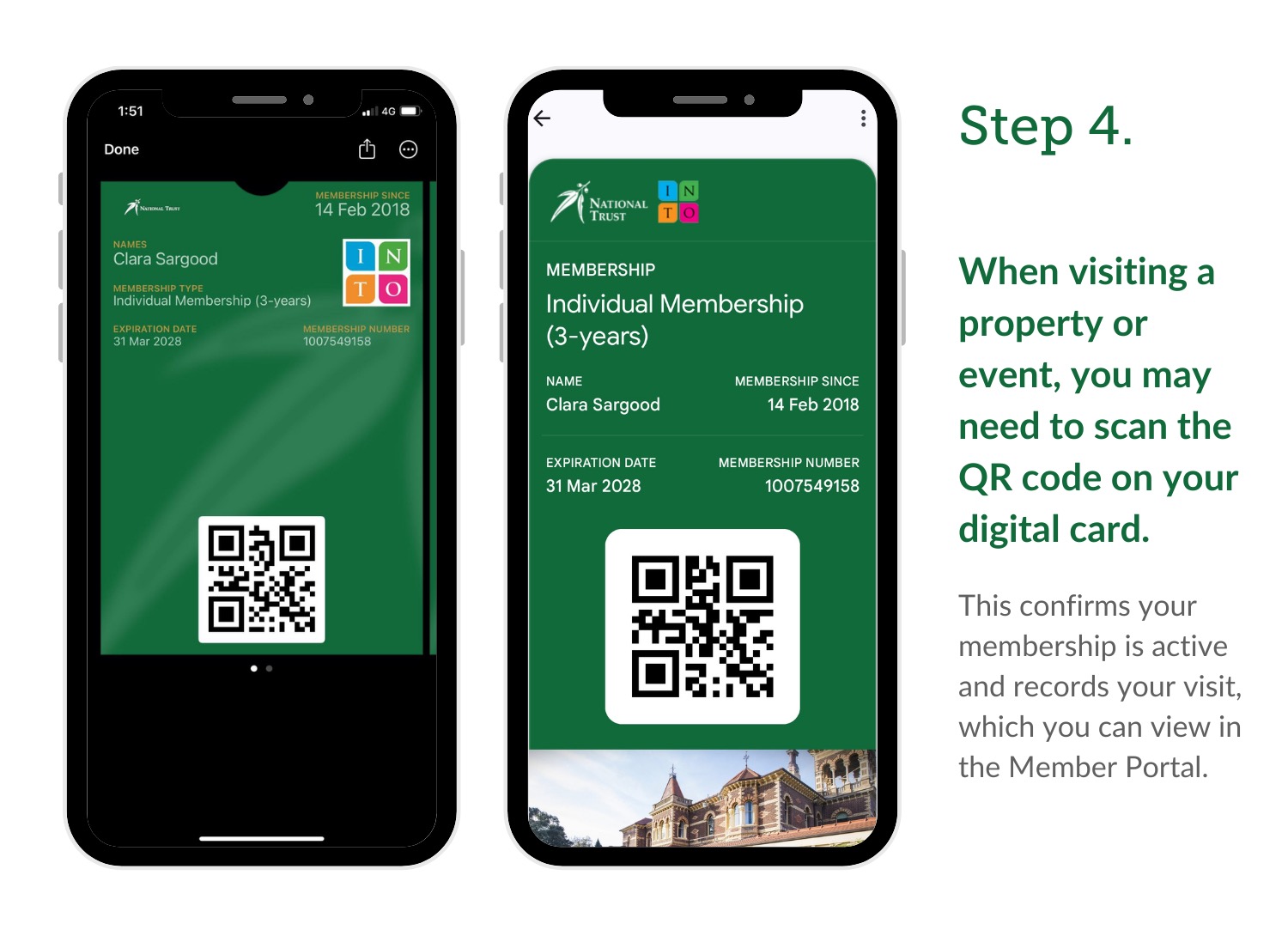
When visiting, you may need to scan the QR code on your digital card. This confirms your membership is active and records your visit, which you can view in the Member Portal.
Can’t find your Member Confirmation Email?
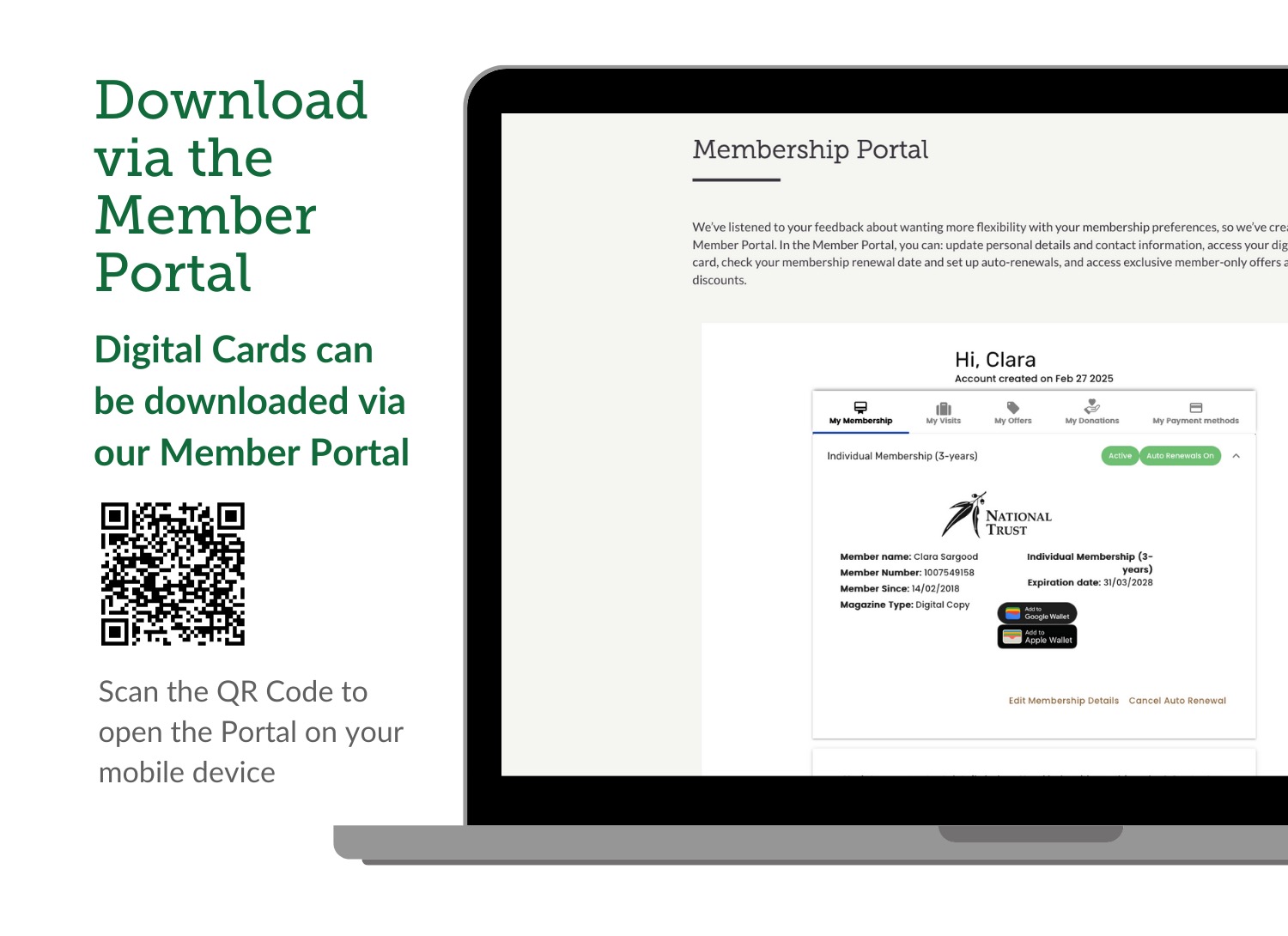
Download your Digital Membership Card via the Member Portal
Digital Cards can be downloaded via our Member Portal. Scan the QR Code below to open the Portal on your mobile device.
For instructions on how to access and use the Member Portal, click here.